
Weekend Website Build
Build Your Website in a Weekend: Fun and Fast Tips for Beginners! 🚀
Hey there, future web wizard! 🌟 Have you ever dreamed of building your website but felt daunted by the techy stuff? Well, guess what? You can totally build a website in a weekend, and it’s easier than you think! Whether you’re a small business owner looking to boost your online presence or a freelancer eager to showcase your portfolio, this guide is packed with fun and fast tips. We’ll walk you through the basics of DIY website creation, using user-friendly tools and an easy website builder that’ll have you online in no time. So grab a cup of coffee, roll up those sleeves, and let’s get started on your quick website development adventure! 🚀## Getting Started with Your DIY Website
Ready to dive into your DIY website adventure? Let’s kick things off with the basics you need to know to build your website in a weekend.
Choosing an Easy Website Builder
Picking the right website builder is crucial for quick website development. Look for platforms that offer user-friendly interfaces and drag-and-drop features.
Popular options like Wix, Squarespace, and WordPress.com provide templates and tools that make design a breeze. These platforms often include hosting, which simplifies the process even further.
Consider your specific needs. Are you creating an online store? A portfolio? Or just a simple informational site? Choose a builder that caters to your goals.
Remember, the best builder for you is one that feels intuitive and matches your skill level. Don’t be afraid to try out a few before settling on one.
Planning Your Site Layout
Before you start building, take some time to plan your site’s structure. This step can save you hours of frustration later on.
Start by listing all the pages you want to include. Common pages are Home, About, Services/Products, and Contact. Sketch out a rough layout for each page, noting where you want text, images, and other elements.
Think about your user’s journey. How will they navigate your site? What information do they need to find quickly? Use this to guide your menu structure and page hierarchy.
Coursera offers a great course on website creation that includes tips on effective site planning. It’s worth checking out for more in-depth guidance.
Quick Website Development Tips
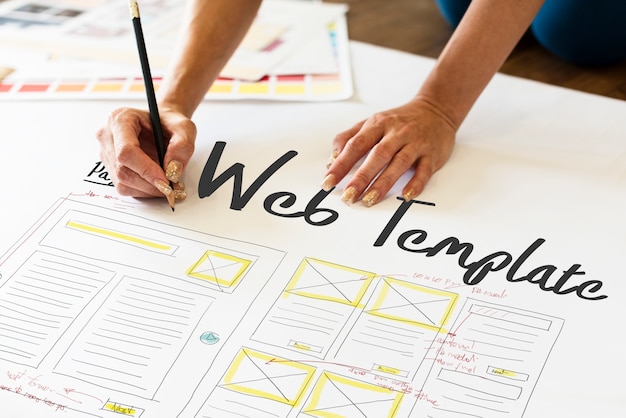
Now that you’ve got the basics down, let’s explore some tips to speed up your website development process and create a professional-looking site.
Design Your Pages Like a Pro
Even if you’re not a designer, you can create attractive pages with these simple tips:
Choose a color scheme that reflects your brand. Stick to 2-3 main colors for consistency.
Use plenty of white space to keep your design clean and uncluttered.
Select fonts that are easy to read. Pair a simple sans-serif font for headings with a serif font for body text.
Remember, less is often more in web design. Don’t overwhelm your visitors with too many elements or flashy animations.
For inspiration, browse through templates on your chosen platform. Note what you like and adapt those ideas to your own site.
Essential Website Creation Tips
Creating a website quickly doesn’t mean sacrificing quality. Here are some key tips to keep in mind:
• Keep your content concise and scannable. Use short paragraphs, bullet points, and subheadings.
• Optimize your images for web. Large file sizes can slow down your site.
• Include clear calls-to-action (CTAs) on each page. What do you want visitors to do next?
• Ensure your contact information is easy to find.
Leadpages offers some great advice on creating effective landing pages, which can be applied to your entire site.
Launch and Beyond

You’re almost there! Let’s look at the final steps to get your site live and keep it running smoothly.
Testing Before You Go Live
Before launching your site, thorough testing is crucial. Here’s a quick checklist:
• Check all links to ensure they work correctly.
• Test your site on different devices (desktop, tablet, mobile) and browsers.
• Review your content for typos or formatting issues.
• Make sure all forms and interactive elements function properly.
Ask a friend or family member to browse your site and provide feedback. Fresh eyes can often spot issues you might have missed.
Remember, it’s normal to find some things to tweak. Don’t let perfectionism hold you back from launching!
Managing and Updating Your Site
Congratulations, your site is live! But the work doesn’t stop here. Regular updates keep your site fresh and relevant.
Set a schedule for reviewing and updating your content. This could be weekly, monthly, or quarterly, depending on your site’s nature.
Keep an eye on your site’s performance using tools like Google Analytics. This data can guide future improvements.
Reddit’s web development community is a great resource for ongoing tips and support. Don’t hesitate to ask questions or share your experiences!
For more advanced tips on website management, check out this guide from Callihan. It offers insights on keeping your site secure and optimized over time.


