

A Guide on How to Build a Website From Scratch in Australia
If you’re ready to build a website from scratch here in Australia, the process boils down to four main moves: figuring out your goals, picking your platform (like WordPress), locking down a domain name and hosting, and finally, designing and launching the thing. It's how you build a powerful online asset that works for your business 24/7.
Why Your Australian Business Needs a Website Now
Let's cut to the chase. In today's market, not having a professional website is like running a shop with no sign on the door. It's not just a fancy business card anymore; it’s the absolute centre of your marketing, sales, and customer service.
Think of it this way: a well-built website is your tireless salesperson. It generates leads and handles enquiries while you're on the tools, serving customers, or after you've knocked off for the day. It also gives your business a level of credibility that a social media page just can't match. For a tradie in Perth or a cafe owner in Melbourne, a proper website screams that you’re a legitimate, professional operation.
The Untapped Digital Opportunity
A lot of Australian small businesses are leaving money on the table. Heaps of it. Research shows a massive gap between how Aussies shop and how businesses sell, creating a market opportunity worth between $171M–$513M. While 75% of Australian consumers would rather buy from a business with an online presence, a staggering 59% of small businesses still don't even have a website. You can dig into the numbers in this Australian web design statistics report.
This isn't just a statistic; it's a genuine competitive advantage just sitting there. So why the hesitation? It usually comes down to a few common myths:
- Cost Concerns: The old belief that a professional website costs a fortune.
- Perceived Need: Thinking a Facebook page is "good enough" for your customers.
- Technical Knowledge: Feeling overwhelmed by the tech and having no idea where to even start.
- Time Constraints: Simply being too flat-out running the business to think about building a site.
Getting past these roadblocks is the first real step to learning how to build a website from scratch and grabbing your piece of the online market.
A Growing and Competitive Market
The Australian business landscape is always changing, with new players jumping in every year. Just take a look at this chart from the Australian Bureau of Statistics showing the number of active businesses.
The data clearly shows competition is heating up, which makes having a strong online presence more critical than ever if you want to stand out. Your website is your digital storefront, open to anyone, anywhere, anytime.
Creating Your Website Blueprint Before You Build
Jumping straight into the design is a classic rookie mistake. It’s like trying to build a house without a blueprint – you’ll end up with a mess. A brilliant website doesn't just happen; it's born from some serious strategic thinking long before you even glance at a template or write a single line of code. This planning stage is easily the most important part of building a website from scratch.
First up, you need to nail down your website’s single most important job. Every decision that follows—from the layout and colours to the words on the page—hinges on this one primary goal. Forget vague notions like "getting our name out there." We need to get specific. Ruthlessly specific.
Is the main game to make the phone ring with quote requests for your Adelaide plumbing business? Or is it to sell your handmade leather goods directly to customers all over Australia? Maybe it’s about showcasing a killer portfolio of architectural projects to land high-value commercial clients. Your website can do a lot of things, but it absolutely must be brilliant at one thing.
Defining Your Target Audience
Once you know what you want your website to do, you have to figure out who you're talking to. And "customers" isn't a target audience. It's a blurry starting point that won't help you make smart choices with your design and content.
Get granular and picture your ideal customer. Are you trying to reach:
- Young families in the Melbourne suburbs looking for a reliable landscaper?
- Mining companies out in Western Australia needing specialised equipment hire?
- Health-conscious office workers in Sydney's CBD who want a healthy lunch delivery service?
This level of detail is gold. It dictates the tone of voice you use, the photos you choose, and the features that will actually matter to them. A site built for a corporate client in the mining industry will look and feel worlds away from one trying to attract local families.
A website that tries to appeal to everyone ends up appealing to no one. The more specific you are about your target audience, the better you can connect with them and nudge them towards your main business goal.
Mapping Out Your Essential Pages and Features
With your goal and audience locked in, you can start sketching out the skeleton of your site. We're not talking about design just yet; this is all about function and how a visitor will move through it. What are the absolute must-have pages someone needs to see to trust you and take the next step?
For most Aussie small businesses, you'll need these core pages at a minimum:
- Home: This is your digital front door. It needs to instantly tell people who you are, what you do, and what you want them to do next.
- About Us: This is your story. It's where you build trust and a real connection by showing the people and passion behind the business.
- Services/Products: The nuts and bolts. Clearly lay out what you're offering and spell out the benefits for your specific target audience.
- Contact: Don't make them hunt for it. A clear phone number, email, address, and a simple contact form are non-negotiable.
Beyond the basics, think about the specific features needed to hit your primary goal. A photographer needs a stunning, high-res gallery. A consultant might need an online booking form that syncs with their calendar. An e-commerce site obviously needs a shopping cart, a secure payment gateway, and shipping options. Don't just add bells and whistles because they seem "cool" – make sure every single element serves your main objective.
This groundwork prevents the project from getting out of control and ensures you build a site that delivers real results from day one. And if you're thinking about moving an existing site, getting your head around the process of a domain name transfer should be part of this early planning too.
Choosing the Right Platform for Your Business
Okay, you've got your plan sorted. Now for the big question: how are you actually going to build this thing? This is where many business owners get tangled up in tech talk, but don't sweat it. Think of it as choosing the engine for your car. The one you pick will shape your budget, how much hands-on time you'll need, and how easily you can upgrade down the track.
Let's cut through the jargon and look at the main roads you can go down as an Aussie business.
Website Platform Comparison for Australian SMBs
Before we dive deep, here's a quick cheat sheet comparing the most common options. This should give you a bird's-eye view of where each platform shines and what to expect.
| Platform | Best For | Technical Skill Required | Typical Cost (AUD) | Scalability |
|---|---|---|---|---|
| WordPress.org | Businesses wanting full control, flexibility, and strong SEO foundations. | Low to Medium (some learning required). | $-$$ (hosting + potential premium themes/plugins). | High. |
| All-in-One Builders | Beginners, service businesses, or anyone needing a simple, professional site quickly. | Very Low (drag-and-drop). | $-$$ (monthly subscriptions). | Low to Medium. |
| E-commerce Platforms | Businesses focused on selling products online (e.g., retail, dropshipping). | Low (designed for e-commerce). | $$-$$$ (monthly subscriptions + transaction fees). | Medium to High. |
| Custom Development | Businesses with unique, complex features that off-the-shelf solutions can't handle. | N/A (you hire experts). | $$$$ (project-based, typically thousands+). | Very High. |
Each path has its pros and cons, and the "best" one really depends on your specific goals, budget, and how comfortable you are with the tech side of things.
WordPress: The Flexible Powerhouse
You can't talk about building a website without mentioning WordPress. There's a good reason it powers over 43% of all websites on the planet – it's the undisputed king of the hill.
WordPress is an open-source Content Management System (CMS). In simple terms, it's a powerful, free foundation that you can build almost anything on. Its biggest drawcards are its insane flexibility and ability to grow with you.
- Endless Customisation: With a universe of themes (the design) and plugins (the features), you can make WordPress do just about anything. Need a booking calendar for your consulting business? A sophisticated quote calculator for your trade services? Yep, there’s a plugin for that.
- Built for Google: From day one, it’s been designed with search engines in mind. This gives you a massive head start on your SEO, offering control that simpler builders just can't match.
- You Own It All: Your site, your data, your rules. You're not locked into one company's ecosystem, which means you can pack up and move to a different hosting provider whenever you want.
The trade-off for all this power? It has a slightly steeper learning curve than the all-in-one options. You'll also be responsible for arranging your own web hosting and security, which is why picking a quality provider is so important. When looking into your options, it's worth learning about the different web hosting services available to find one that's reliable and fast.
All-in-One Website Builders
You've likely seen the ads for platforms like Squarespace, Wix, and Shopify (for e-commerce). These are known as "all-in-one" or "hosted" builders. They bundle everything—the software, hosting, security, and support—into a single, neat monthly package.
These are brilliant for beginners or businesses that just need a great-looking, professional website without the fuss. Their drag-and-drop editors make building pages feel intuitive, taking most of the technical headaches out of the equation.
For many small Aussie businesses, an all-in-one builder is the fastest and simplest way to get online. The key is to be aware of their limitations. You're essentially trading the deep customisation of WordPress for sheer ease of use.
The catch is that this simplicity can eventually feel restrictive. You're limited to the features and design options the platform provides. Moving your site to another service later on can also be a real pain, if not outright impossible.
Custom-Coded Websites
The third option is to go fully custom. This means hiring a web developer or an agency to build your site from scratch using code like HTML, CSS, and JavaScript.
This is the path for businesses with very specific, complex needs that an off-the-shelf solution simply can't handle. Think of a custom real estate portal with unique search filters, or an online service that requires a completely bespoke dashboard for its users.
Unsurprisingly, this is the most expensive and time-consuming route. It's a significant investment, but it's one that more Australian companies are making. The Aussie IT services sector is projected to hit AU$70.26 billion by 2030, showing a clear trend towards investing in powerful, custom-built digital platforms.
This decision tree can help you visualise how your business goals connect to the right features and, ultimately, the right platform.
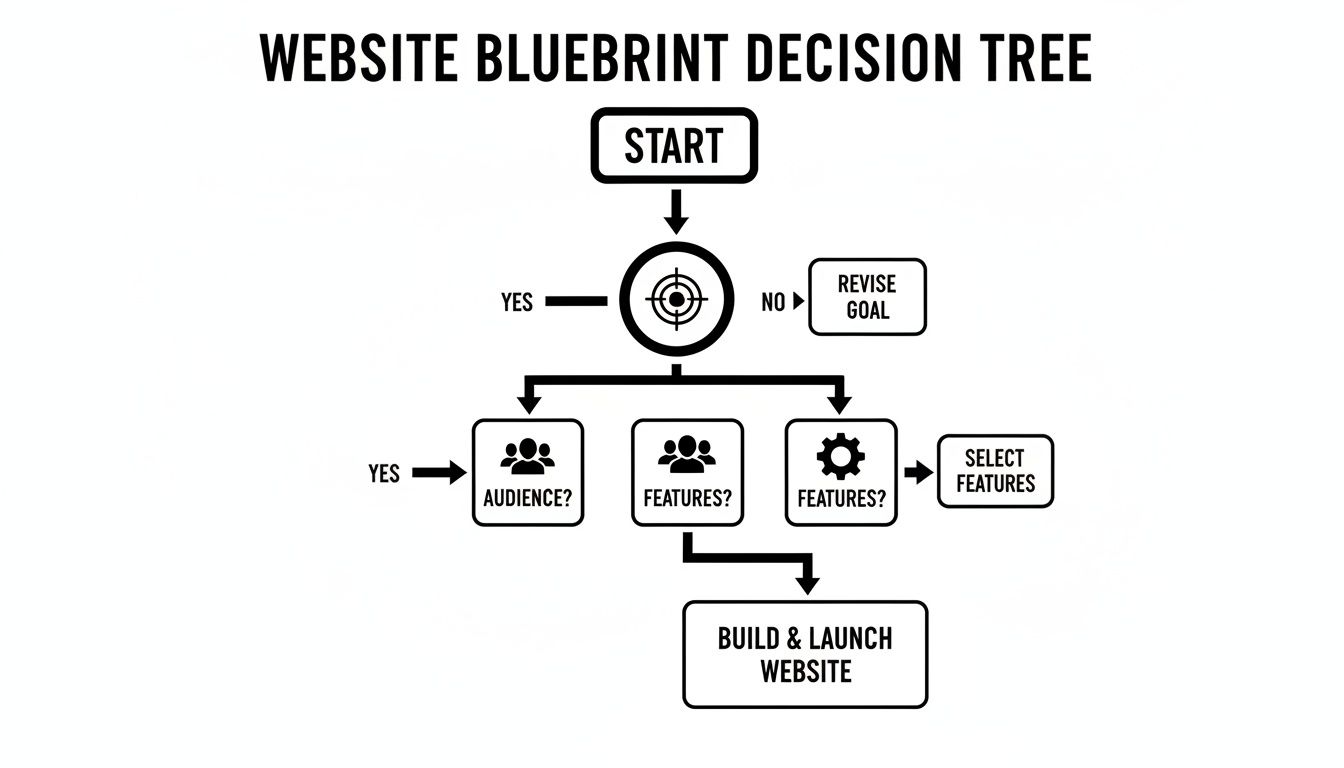
Ultimately, your choice of platform needs to directly support what you're trying to achieve, whether that's generating leads, selling products, or simply providing information. To help support whichever platform you land on, check out our detailed guide on the https://websitebuilderaustralia.com.au/best-web-hosting-australia/.
Designing a Website That Converts Visitors Into Customers

A great website design does much more than just look pretty. It needs to be a strategic tool that instinctively guides visitors toward taking a specific action. You're trying to create a smooth, easy journey that turns a casual browser into a loyal customer, and in Australia, that journey almost always starts on a smartphone.
With a massive 70% of all Australian web traffic now coming from mobile devices, a "mobile-first" approach isn't just a good idea—it's essential. This means you design for the smallest screen first. You nail the experience on a phone before you even think about how it will adapt to a desktop.
Building Trust Through Clean Visuals
Your website's appearance is your digital handshake. A cluttered, dated, or unprofessional design will instantly make potential customers wary. The goal is to create a clean, modern look that feels organised and reflects the quality of your business.
This doesn't mean you need an overly complex or flashy design; in fact, simplicity often converts far better. Start by getting these core visual elements right.
- Colour Palette: Stick to two or three primary colours that align with your brand. A simple, consistent palette looks professional and cohesive.
- Typography: Choose one or two fonts that are easy to read. A clear, legible font for your main text and a complementary one for headings is all you need to look sharp.
- Imagery: Ditch the cheesy, generic stock photos. They scream "inauthentic." If you can, invest in professional photos of your actual team and work. If not, use high-quality, natural-looking stock images that genuinely match your brand's personality.
Making Navigation Effortless
If visitors can't find what they're looking for within a few seconds, they're gone. It's that simple. Your website’s navigation should be so intuitive that no one has to think twice about where to click.
Keep your main menu logical and straightforward. Use clear, descriptive labels like "Services," "About Us," and "Contact" instead of trying to be clever with vague terms. A visitor looking for a service-based business in Brisbane should be able to find your phone number or a quote form with a single click from absolutely any page.
Your website is not a maze. It’s a direct path to a solution. Every element, especially your navigation, should remove friction and guide the user seamlessly towards their goal—and yours.
Don't forget to consider how your menu will look on a mobile device. A clean "hamburger" menu (the icon with three horizontal lines) that expands into a clear list is the industry standard for a very good reason. It just works.
Crafting Compelling Calls to Action
A Call-to-Action (CTA) is arguably the most critical part of turning a visitor into a customer. It’s the button or link that tells people exactly what you want them to do next. Vague CTAs like "Learn More" are weak and don't inspire action. You need to be direct and highlight the benefit.
Your CTAs should be:
- Action-Oriented: Start with a strong verb. Use powerful phrases like "Request a Free Quote," "Shop Our Collection," or "Book Your Consultation."
- Visually Prominent: Use a contrasting colour for your CTA buttons. They need to pop off the page and draw the eye.
- Strategically Placed: Put your CTAs where they make the most sense—right after a compelling description of your service, at the top of your homepage, and in your website's footer.
To ensure your new website truly works hard for your business, it’s vital to understand how to improve website conversion rates. For a closer look at the specific elements that drive sales and enquiries, check out our guide on the essential features every website should have. When you build a website from scratch, every detail matters, from the page layout to the colour of your buttons.
Your Essential Pre-Launch Quality Checklist
You’re right at the finish line. Don't fall at the final hurdle. This last sprint is what separates a professional website from an amateur one. Rushing your launch without a thorough quality check is a guaranteed way to make a terrible first impression.
Think of this checklist as your final defence against embarrassing typos, broken links, and missed opportunities. Before you even think about hitting that "go live" button, you need to put on your customer's hat and methodically test every single part of your new website.
Functional Testing and User Experience
First up, let's make sure everything actually works. A broken contact form is the digital equivalent of having a phone line that doesn't ring—it's a direct loss of business.
Go through your site page by page and click on absolutely everything. Don't just glance. Test every button, navigation link, and social media icon. Pay special attention to these critical functions:
- Contact and Enquiry Forms: Fill out every form on your site. Don't just submit it; check that the confirmation email actually arrives in your inbox.
- Clickable Phone Numbers: On your mobile, tap every phone number to make sure it tries to initiate a call.
-
Email Links: Test all
mailto:links to ensure they open a new email draft as you'd expect. - Image and Video Loading: Confirm all your media loads correctly without errors on both desktop and mobile.
Your goal is simple: find the problems before your customers do. A single broken link can erode a visitor's trust and send them straight over to a competitor.
Content and On-Page SEO Foundations
With the mechanics sorted, it's time to polish the content. We also need to make sure Google can find you from day one. This is a crucial step when you build a website from scratch, as it lays the groundwork for all your future marketing efforts.
Proofreading is non-negotiable. Fire up a tool like Grammarly, but don't stop there. Reading everything aloud is a great trick for catching awkward phrasing. Even better, get a fresh pair of eyes from a friend or colleague to spot the mistakes you’ve become blind to.
Once the copy is perfect, run through these basic on-page SEO checks:
- Title Tags: Does every page have a unique, descriptive title tag? This is the text that shows up in the browser tab.
- Meta Descriptions: Have you written a compelling meta description for each key page? This is your sales pitch in the search results.
- Image Alt Text: Check that every important image has descriptive alt text. It helps search engines (and visually impaired users) understand what the image is about.
Performance and Analytics Setup
Finally, let's make sure your site is fast and that you can measure its success from the moment it launches. A slow website is a massive turn-off. In fact, 50% of mobile users will abandon a site that takes longer than three seconds to load.
Use a free tool like Google's PageSpeed Insights to get a performance score and see if there are any glaring issues holding your site back.
The last piece of the puzzle is analytics. You can't improve what you don't measure. Setting these tools up is straightforward and absolutely essential for understanding your audience.
- Google Analytics: This is the industry standard for tracking website traffic. It tells you who your visitors are, how they found you, and what they do on your site.
- Google Search Console: This gives you a direct line to Google, showing how your site is performing in search, what keywords you rank for, and flagging any technical problems.
Connecting these two gives you a powerful dashboard for monitoring your site's health. Once you’ve ticked off this checklist, you’re ready for a smooth, professional launch. Good luck
Your Website Questions, Answered
Even after mapping everything out, jumping into a website project can feel a bit daunting. We get it. Here are some straightforward answers to the most common questions we hear from Australian business owners building their first website.
How Much Does a Website Really Cost in Australia?
This is the big one, and the honest answer is: it depends entirely on what you need. The cost can swing dramatically.
If you go the DIY route with a platform like Squarespace, you might only be out $30 to $50 a month, plus your domain name which is usually about $20 per year. It's a fantastic, budget-friendly starting point.
For a more powerful WordPress site, you're looking at an initial outlay of anywhere from $500 to $5,000. That typically gets you a professional theme, a few key plugins, and some help from a freelancer to get it all set up. Once you get into custom-built e-commerce sites with specific features and payment integrations, the budget can range from $5,000 to $25,000 or more.
The simple rule is that cost follows complexity. A basic online brochure for your business is very affordable, while a site that does things requires a bigger investment.
How Long Will It Take to Build?
Time is money, right? Just like the cost, the timeline hinges on the scope of the project.
- DIY Website Builders: Got all your text and photos ready? You could genuinely knock out a great-looking site over a weekend.
- WordPress (using a template): Working with a pre-made design really speeds things up. If you can dedicate the time, a solid business site can be built in one to two weeks.
- Custom Build with an Agency: When you bring in the pros for a custom job, expect it to take four to twelve weeks. This isn't just coding time; it includes proper planning, design mock-ups, development, adding content, and thorough testing.
Can I Build It Myself or Should I Hire Someone?
This is a critical fork in the road, and the right path depends on your budget, timeline, and how comfortable you are with tech.
Building it yourself is obviously the cheapest option and puts you in the driver's seat. It's a great choice if your needs are straightforward, you actually enjoy learning new software, and you've got the hours to spare. Platforms like Wix and Squarespace were made for this.
On the other hand, you should call in a professional if:
- You need special features that a standard template just can't handle.
- Your time is far more valuable spent running your business.
- You want to make sure your SEO, site speed, and security are sorted from day one.
- You're launching an online store and need to process payments securely and reliably.
Paying an expert costs more upfront, but it often saves a mountain of time and frustration, delivering a much better result in the end.
What's the Difference Between a Domain Name and Web Hosting?
This trips a lot of people up, but it's pretty simple when you think of it like a physical shop.
-
Domain Name: This is your street address (e.g.,
yourbusiness.com.au). It’s the unique name people type in to find you online. You register it and pay a small fee each year to keep it. - Web Hosting: This is the actual block of land your shop is built on. It's a service you pay for that stores all your website's files (code, text, images) and keeps them connected to the internet so people can visit anytime.
You absolutely need both. One without the other just doesn't work.
How Do I Pick the Right Domain Name?
Choosing a good domain name is a massive part of your brand. You want something that's memorable, easy to type, and makes sense for your business.
A few tips for Aussie businesses:
-
Go for
.com.au: If your customers are in Australia, a .com.au address instantly tells them you're a local business. It’s a huge trust signal. - Keep it Simple: Avoid long names, hyphens, and numbers. If you can say it easily, people can remember it easily.
-
Use Your Business Name: The best-case scenario is
yourbusinessname.com.au. If that's taken, try a smart variation. -
Consider Keywords: If it feels natural, including a keyword can help, like
sydneyplumbingsolutions.com.au.
Got a few ideas? Head to a domain registrar and check if they're available. If you find a good one, grab it before someone else does.
Ready to stop wondering and start building? The expert team at Website Builder Australia can help you navigate every step of the process, from securing the perfect domain to launching a high-performance website that gets real results for your business. Let's build something great together.


